Free • No sign-up needed

Dinner, decided.
Groceries, sorted.

Prepiva turns the meals your family already loves into a weekly plan and one grocery list, sorted aisle by aisle, the way you walk your store.

Works on iPhone & Android • Nothing to download

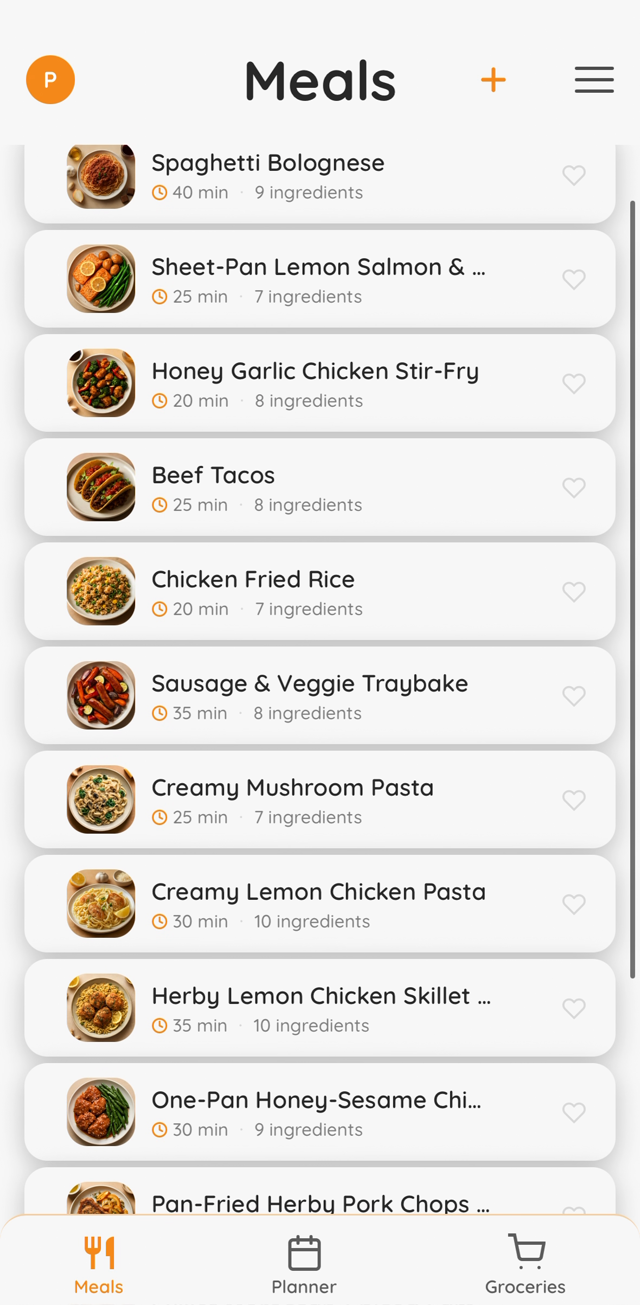
Prepiva meal library with dish photos
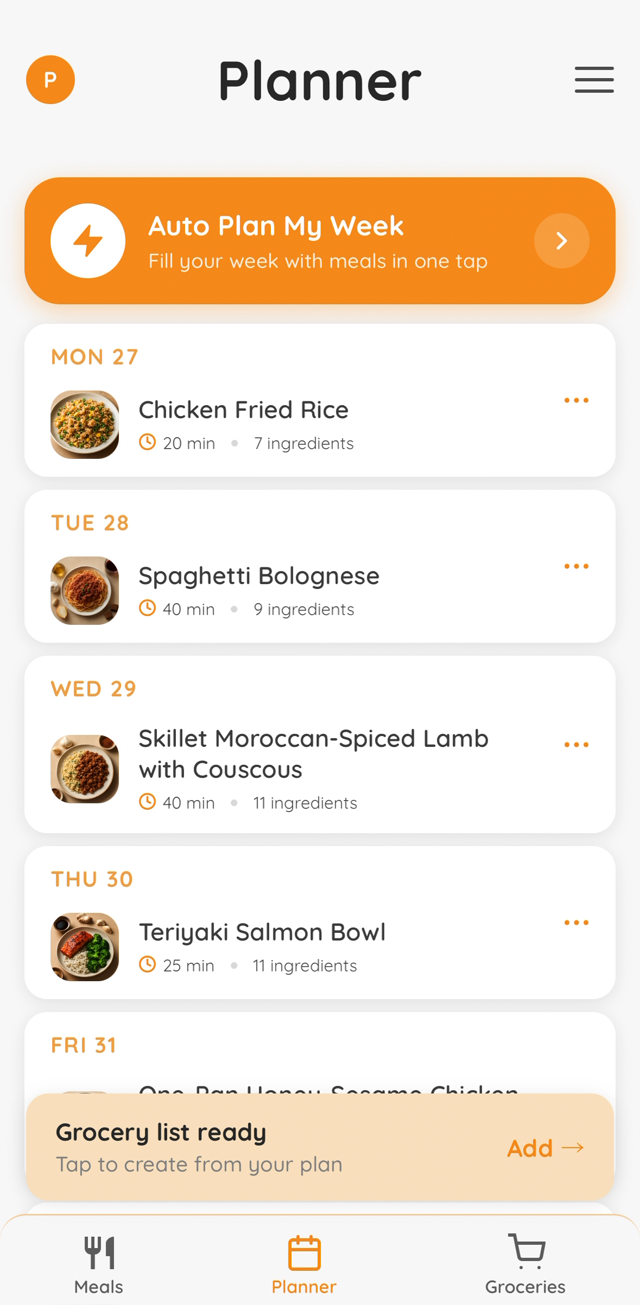
Prepiva weekly meal planner
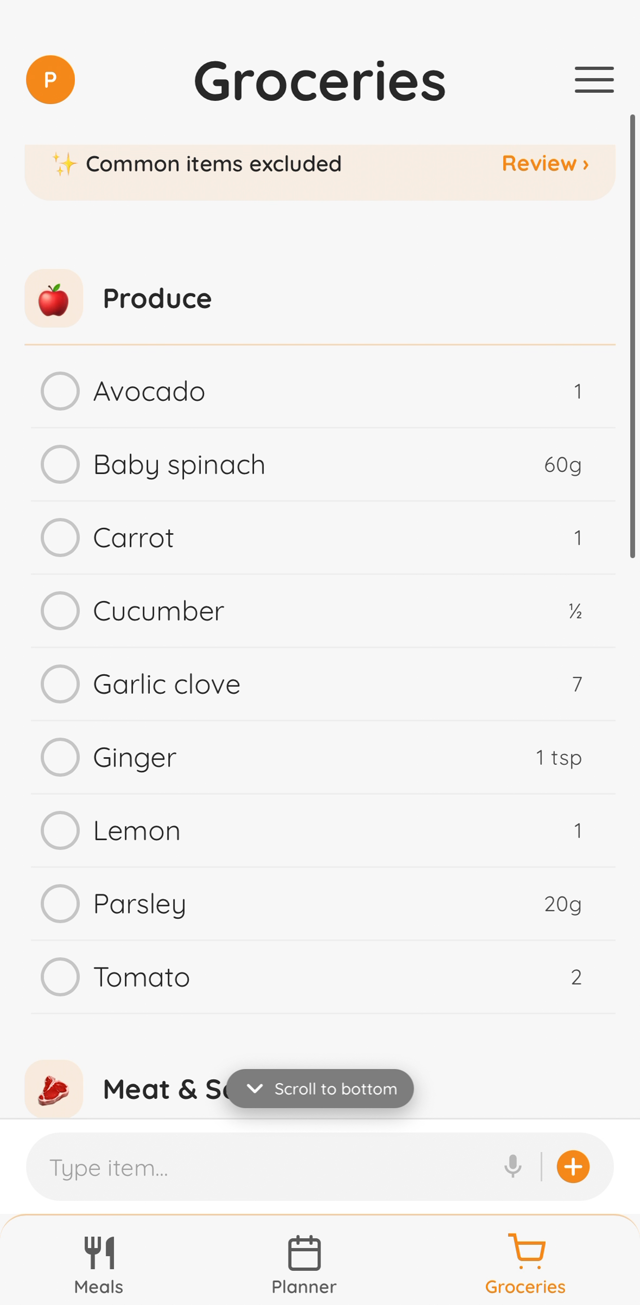
Prepiva grocery list sorted by aisle
See it

Prepiva in 30 seconds

The whole loop, from "what's for dinner?" to a sorted list.

How it works

Three steps to a stress-free week

From "what's for dinner?" to a done grocery shop in one simple flow.

1

Build your meal library

Scan a recipe photo, paste text, import from any website, or let Prepiva suggest dishes for your taste.

2

Plan the week in seconds

Auto Plan fills all seven days, favouring meals you love and resting the ones you just had.

3

Shop one smart list

Your plan becomes a grocery list, merged and sorted aisle by aisle. Tick things off in-store or shop online.

Why Prepiva

Everything between "what's for dinner?" and dinner

One app for the whole loop. No juggling notes, screenshots and a separate list.

Import meals your way

Snap a photo of a recipe, paste text, or import from a link. Prepiva reads it into your library.

Auto Plan My Week

Seven dinners in seconds, tuned by your favourites. It learns from every swap, favourite and cooked meal.

Aisle-by-aisle list

Ingredients merge automatically, so two meals with chicken become one line, sorted in your store's aisle order.

One list per household

Share your list with your partner or family. Whatever anyone adds or ticks off shows up on every phone.

Cook Mode

Step-by-step cooking view that spots timers in your recipe and keeps the screen awake.

Cook what I have

Type what's in your fridge and see which of your meals you can cook tonight, plus what's missing.
Get the app

Put Prepiva on your home screen

Prepiva runs as a full-screen app on your phone. No download, installed straight from your browser in ten seconds.

  1. 1
    Open prepiva.app in SafariOn Android, use Chrome.
  2. 2
    Tap the Share buttonThe square with the arrow at the bottom of the screen.
  3. 3
    Tap "Add to Home Screen"Prepiva appears like any other app. Full screen, works offline.

Coming to the App Store

Want the App Store version the day it lands? Leave your email. That's all we'll use it for.

Dinner tonight is already decided

Add a few meals, tap Auto Plan, and walk the shops with one list. Free, no account needed to try it.

Try Prepiva free